


Download Steam Achievement Viewer – Steam ID Tracker, Achievement Monitor, Rare Unlock Tracker
Overview
Steam Achievement Viewer is a focused utility designed for gamers who wish to monitor their progress across multiple titles on the Steam platform. The app allows users to input their unique Steam ID to access a comprehensive view of their achievement history, including both unlocked and pending achievements. This functionality serves as a centralized tracking tool for players who enjoy collecting achievements as part of their gaming experience. By providing visibility into rare and challenging unlocks, the app supports goal-oriented gameplay and enhances motivation through transparency.
Target users include dedicated Steam users, achievement hunters, and those who maintain multiple game libraries across various genres. The app does not interfere with game performance or Steam’s core services, ensuring that it operates as a passive monitoring tool. Its primary purpose is to simplify the process of reviewing achievement milestones without requiring access to the Steam client or web browser.
Although the developer did not provide additional technical details, the app’s design emphasizes security and ease of use. Real-world use cases include tracking progress in long-term gaming projects, comparing achievement completion rates across different games, and identifying rare unlocks to pursue. In the broader app ecosystem, Steam Achievement Viewer fills a niche for lightweight, privacy-conscious tools that empower users with data transparency while maintaining full compliance with Steam’s terms of service.
Key Features & Functionality
- Easy Steam ID Login: Users can quickly begin using the app by entering their Steam ID, which is distinct from their username and located in the Account Details section of their profile. The login process is designed to be minimal and secure, requiring no additional credentials or account linking.
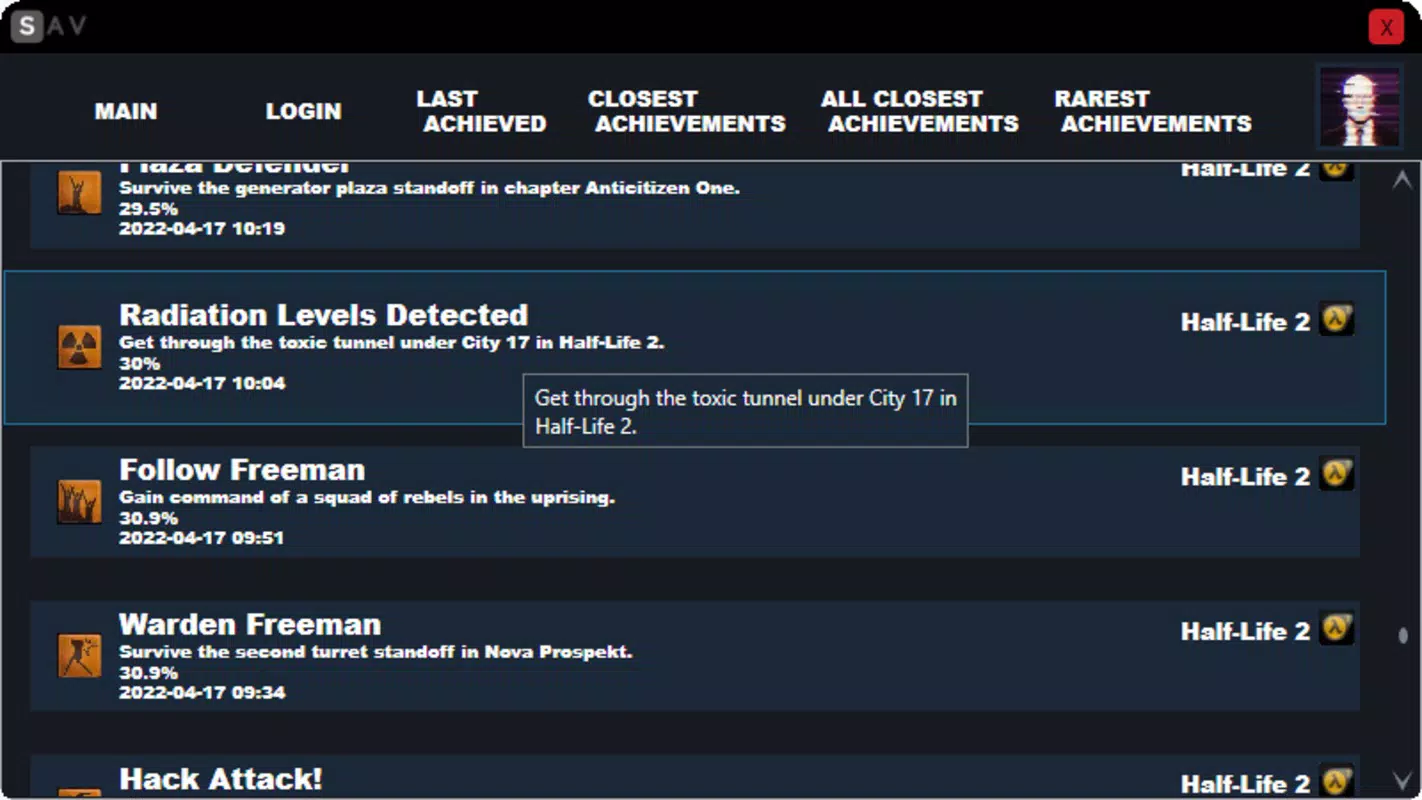
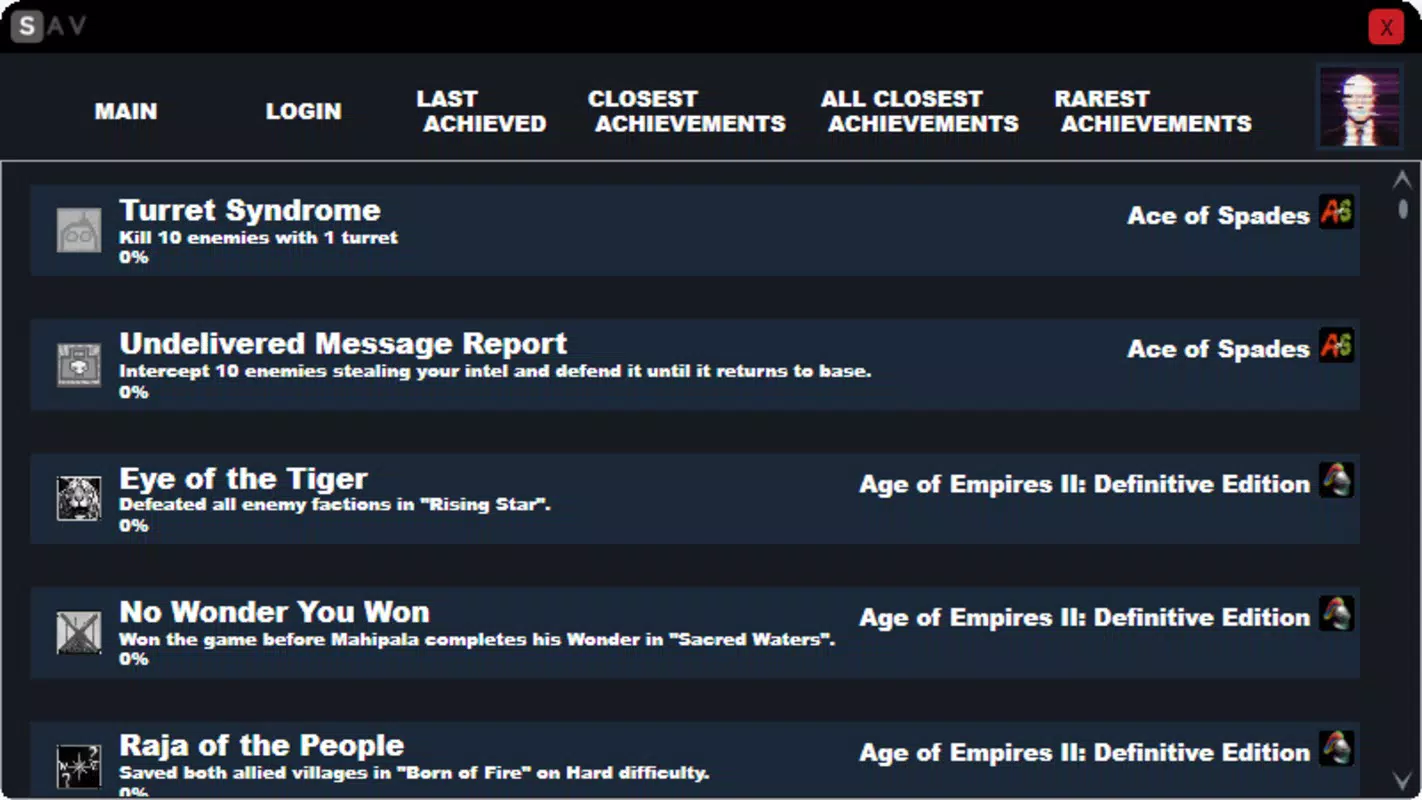
- Comprehensive Achievement Overview: Once authenticated, users gain access to a categorized view of their achievements, organized into tabs such as recent unlocks, pending goals, and rare achievements. This structure enables efficient navigation and quick assessment of progress across multiple games.
- Track Rare Achievements: The app highlights achievements that are statistically uncommon to unlock, offering players insights into challenging milestones. This feature encourages engagement with niche or difficult games and adds a competitive edge for collectors.
- Safe and Reliable Operation: Steam Achievement Viewer operates without modifying game files, accessing private data, or interacting with Steam’s servers beyond standard public API calls. It does not attempt to unlock achievements artificially, ensuring a secure and compliant experience.
- Daily Usage Friendly: Designed for regular use, the app supports ongoing tracking of progress, helping users stay engaged with their gaming goals. It serves as a motivational tool by visualizing potential achievements and providing a sense of accomplishment.
Practical Use Cases
For example, a player working through a collection of indie games can use the app to identify which titles still have rare achievements left to unlock. Similarly, a casual gamer might use the app to review their recent progress after completing a game, reinforcing their sense of achievement. The tool also benefits those managing multiple Steam accounts by allowing quick access to each account’s achievement status without switching between profiles.
Interface, UX & Performance
The app features a clean, minimalist interface that prioritizes readability and functionality. Navigation is straightforward, relying on tab-based organization to separate achievement categories. Visual cues such as progress indicators and badge icons help users quickly identify completed and pending goals. The layout is optimized for mobile screens, with responsive elements that adapt to different device sizes.
Although the developer did not list formal performance metrics, the app appears to load achievement data efficiently, with minimal lag during navigation. Users can expect smooth transitions between tabs and quick access to detailed achievement information. Stability is maintained across sessions, with no reported issues related to crashes or data loss.
Performance on different device categories is not explicitly detailed, but the app’s lightweight design suggests compatibility with a wide range of smartphones and tablets. Responsiveness is consistent, and the interface remains usable even on lower-end devices. The absence of heavy animations or resource-intensive elements contributes to a stable and predictable user experience.
Platform Compatibility & Technical Requirements
Steam Achievement Viewer is available for Android and iOS platforms. The app supports the latest versions of both operating systems, though specific minimum OS requirements were not listed. The file size is approximately 18.5 MB, making it a lightweight download suitable for devices with limited storage.
The developer did not specify minimum OS requirements, nor did they provide details on device compatibility beyond the platform names. Users should ensure their device meets the general system standards for running modern mobile applications. No additional permissions or hardware dependencies were mentioned.
Pros and Cons
- Simple, secure login using Steam ID only
- Clear categorization of achievements across multiple games
- Highlights rare and challenging unlocks to encourage gameplay
- Does not interfere with games or Steam account security
- Lightweight design with fast loading times
- Requires manual entry of Steam ID (no auto-detection)
- No built-in notification system for new achievements
- Limited to public achievement data (no private stats)
- Does not support multiple Steam accounts in a single session
- App functionality depends on external Steam API availability
FAQ
Is Steam Achievement Viewer safe to use?
Yes, the app is designed to be safe. It only accesses publicly available achievement data through Steam’s API and does not modify game files, steal credentials, or interfere with your account.
Can I use Steam Achievement Viewer without a Steam account?
No, a valid Steam account is required. The app uses your Steam ID to retrieve your achievement history, which is linked to your account.
Does the app work on both Android and iOS?
Yes, Steam Achievement Viewer is available on both Android and iOS platforms. The app’s core functionality remains consistent across both systems.
How do I find my Steam ID?
Your Steam ID can be found in your Account Details section on your Steam profile page. It is a unique numeric identifier, not your username or display name.
Will the app update automatically?
Updates are available through the official app store (Google Play or Apple App Store). Users should enable auto-updates or check for new versions manually to ensure they have the latest version.
Final Thoughts
Steam Achievement Viewer delivers a focused, secure, and user-friendly experience for gamers who value achievement tracking. Its minimalist design, emphasis on safety, and ability to highlight rare unlocks make it a valuable tool for both casual players and dedicated collectors. While it lacks advanced features like notifications or multi-account support, its core functionality is reliable and well-executed.
For anyone invested in their Steam journey—whether tracking progress, chasing rare milestones, or simply reviewing their gaming history—this app provides a streamlined way to stay informed. It enhances the overall experience without adding complexity.
Download Steam Achievement Viewer now


